Hear Through Walls
Battery Stats SaverMedical
4.454.00 Reviews
- Version
- 17.1.0
- Installs
- 50.00K
- Age Rating
- Everyone
Screenshots
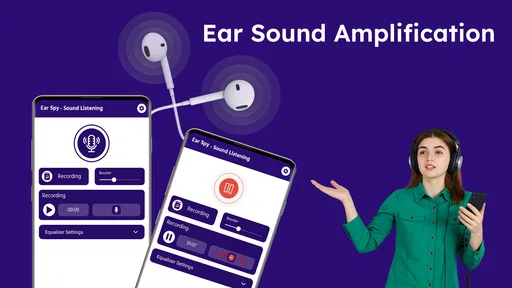
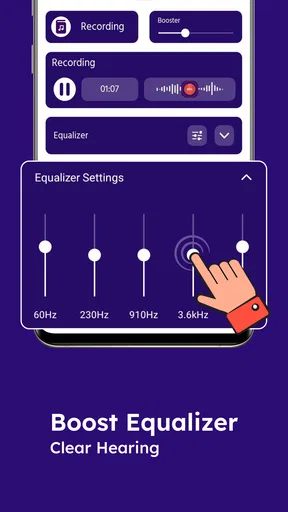
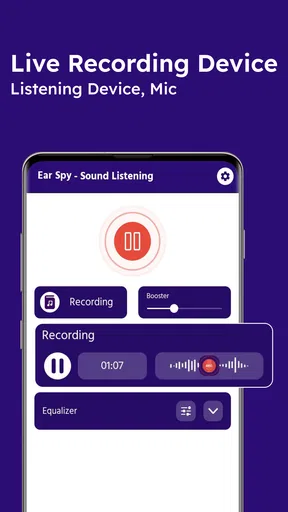
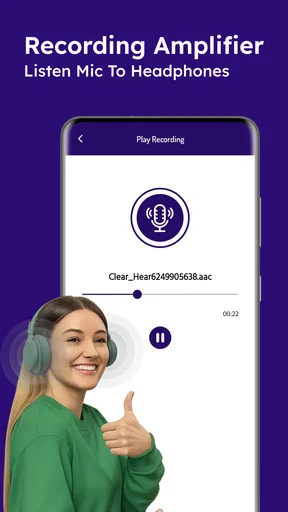
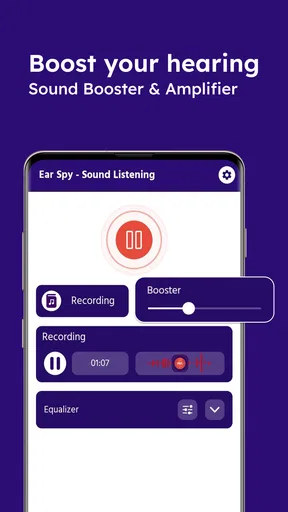
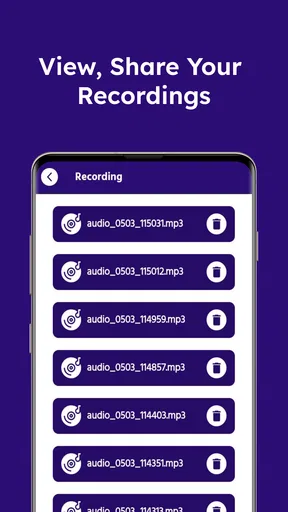
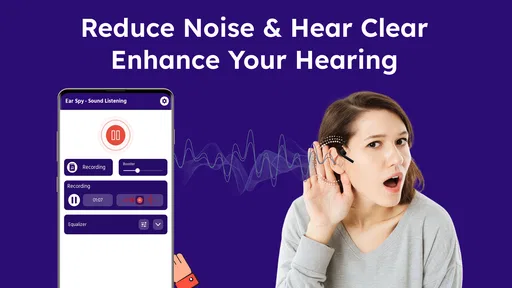
Our Review of Hear Through Walls
 Analysis by Appyee
I approached Hear Through Walls as a curiosity-driven medical app rather than a replacement for professional hearing equipment. Its central idea is simple: use a phone as an “ear spy” listening device and explore whether distant sounds can be made easier to notice. That promise immediately raises practical questions. Does it feel quick to use? Is it dependable during a real listening session? Does it place much demand on the phone? And, just as importantly, is it suitable for a sensitive hearing situation?
After spending time with the app, my impression is that it works best as an informal listening experiment. It can be interesting when you want to explore how your phone handles nearby or distant sound, but it needs sensible expectations. A smartphone microphone is not the same thing as a clinical hearing aid, a calibrated sound meter, or a privacy-safe communication system. I would recommend treating it as an accessible utility for casual exploration, not as a diagnostic tool.
How the listening experience feels in everyday use
I found it useful to judge this kind of listening app in a quiet, familiar room before trying it elsewhere, because that gives me a clearer sense of what the phone itself can pick up. I’d also decide in advance what I’m trying to hear, rather than letting amplified background noise shape my expectations; that small bit of planning makes a casual test more informative and leads naturally to the question of how trustworthy the experience feels.
Quick setup matters more than raw power
The appeal of this kind of app is that it should be easy to try. You install it, open the listening interface, place the phone in a sensible position, and pay attention to what comes through. In my experience, the perceived speed comes less from complex processing and more from how quickly you can begin listening without a long setup routine.
That makes the app most useful in short sessions. If I wanted to check whether a sound was coming from another part of a room, I would rather have a simple listening aid ready in moments than configure specialist equipment. The phone’s position becomes important immediately: a clear microphone opening, a stable surface, and a quiet environment can make a bigger difference than repeatedly changing settings.
There is also a psychological adjustment period. The first sound you hear may not be the distant source you expected. Phones can pick up handling noise, clothing movement, table vibrations, room ambience, and the user’s own movements. The app may therefore feel fast while the actual listening result still requires patience. I found that giving the phone a moment to settle was more useful than constantly moving it toward the sound.
A realistic home scenario
Imagine sitting in a living room while someone speaks in a nearby room. Instead of holding the phone tightly, I would place it on a firm surface with the microphone facing the opening or direction of interest, then keep my own hands away from the body of the device. That small change reduces accidental rubbing and makes it easier to judge whether the app is helping.
This is also where expectations need to stay realistic. Walls, doors, furniture, traffic, fans, and other voices all affect what reaches the microphone. The app cannot make a blocked sound magically clear. In a quiet home, it may help you notice a sound that was already faintly present. In a busy building, the extra background may be just as prominent as the voice or event you wanted to hear.
For that reason, I would not use it as a substitute for walking over to speak with someone, checking on a child, responding to an alarm, or monitoring a safety-critical situation. A listening experiment is one thing; relying on a phone microphone for urgent awareness is another.
What affects perceived speed
When people say an audio app feels slow, they may be describing several different problems. There can be a delay between the microphone and playback, a delay caused by the phone’s audio route, or simply a moment where the user is trying to separate the desired sound from noise. With a tool like this, even a small lag can make speech feel unnatural because the brain expects voices to arrive in real time.
I would judge the experience by asking whether the sound remains understandable, not only whether it starts quickly. If the phone is busy, the audio environment is loud, or the device is connected to an inconvenient output route, the experience can become less comfortable. Headphones may make the signal easier to focus on in some situations, but they also create a more enclosed listening experience and can make it harder to hear what is happening around you.
My practical tip is to test the app in a quiet room before trying it for a more demanding situation. Start with a nearby sound, then increase the distance gradually. This gives you a personal baseline for how the phone behaves instead of assuming that a result from one room will transfer to every building or device.
Handling longer or heavier listening sessions
A short test is not the same as leaving the app active while moving around, listening repeatedly, or trying to follow several voices. Longer use can expose ordinary smartphone limitations: the device may warm up, other audio may compete for attention, and the battery may fall faster than during a normal idle session. I would not call that a special defect without measuring the exact effect on every phone, but it is a sensible reason to plan ahead.
Before a longer session, I would close unnecessary audio apps, keep the phone on a stable surface, and avoid placing it under fabric or against something that blocks the microphone. If battery life matters, starting with a well-charged phone is more practical than expecting the app to be gentle on power simply because its interface looks simple.
The most demanding moment is not necessarily a long quiet recording. It is often a noisy environment where you keep repositioning the phone and trying to distinguish one source from another. That workflow creates more opportunities for false confidence. A louder signal is not automatically a clearer signal, and amplification can make unwanted sound more noticeable too.
Stability during repeated use
For a listening utility, reliability means more than opening successfully. I want the audio experience to remain predictable when I pause, move the phone, change the output method, or return to the app after checking something else. Any interruption matters because the user may be concentrating on a sound rather than watching the screen.
My view is that this app should be used with a recovery mindset. If the listening stream stops behaving normally, do not assume the distant sound disappeared. First check the phone’s volume, make sure the microphone is unobstructed, return the device to a stable position, and reopen the listening view if necessary. A quick restart is often more trustworthy than continuing to interpret distorted or intermittent audio.
This is a useful distinction between casual and serious use. For a quick curiosity test, recovering from an interruption is a minor inconvenience. For hearing assistance, private conversations, or safety monitoring, that uncertainty is a major limitation. I would choose dedicated equipment or direct human communication whenever the consequence of missing a sound is important.
Resource demands and device behavior
The app is listed as free, which lowers the barrier to trying it, although optional in-app purchases range from under a dollar to almost one hundred dollars per item. I would pay attention to any purchase prompt and decide whether the basic experience already meets my needs before spending money. A listening tool should earn trust through predictable use rather than through pressure to unlock more.
It is developed by Battery Stats Saver, and the current version is 17.1.0. The app supports devices running Android 8.0 or newer, so compatibility depends on the phone’s operating system as well as its microphone and audio hardware. Two phones on the same operating system can still produce noticeably different results because microphone placement, noise handling, speakers, and headphone support vary between models.
That hardware difference is one of the most important hidden trade-offs. The app can only work with the sound captured by the phone. If the microphone is weak, covered by a case, damaged, or positioned on the wrong side for the situation, changing the app will not fully solve the problem. I would remove a bulky case for testing, check the microphone openings, and compare the result with a normal voice recording before blaming the listening interface.
Privacy and responsible listening
An app designed to hear distant sound naturally creates a privacy question. I would never use it to listen secretly to people, private conversations, or spaces where others reasonably expect not to be monitored. Even when the technical goal is curiosity, the social impact can be serious.
The safest use is transparent and limited: testing sound in your own room, checking how a phone captures a nearby source, or exploring accessibility options with the people involved aware of what you are doing. I would also avoid treating anything heard through the app as verified information. Audio picked up through walls or across a room can be muffled, incomplete, and easy to misunderstand.
This matters especially for users considering it because of hearing difficulty. The app may offer an informal way to explore amplified sound, but hearing loss has many possible causes and should not be assessed through an uncalibrated phone tool. If speech is regularly difficult to understand, professional hearing care is a better next step than relying on an app’s listening effect.
Who will appreciate it, and who should skip it
I can see the appeal for people who enjoy testing phone utilities, students exploring basic sound behavior, or users who want a quick experiment with distant audio in a controlled environment. It is also approachable for someone who does not own specialist listening hardware and wants to understand what a phone microphone can pick up.
I would skip it if you need dependable hearing assistance, accurate measurement, emergency monitoring, or a discreet way to capture private conversations. It is also a poor match for anyone expecting a wall to become acoustically transparent. The short description, “Hear Through Walls,” is attention-grabbing, but the practical result still depends on distance, construction, background noise, phone hardware, and the quality of the sound reaching the microphone.
Compared with ordinary alternatives, the app’s advantage is convenience. A direct conversation is clearer and more respectful; a professional hearing device is more appropriate for ongoing assistance; and a standard recording app may be better when the goal is simply to save audio for later. This tool occupies a narrower middle ground: it is for live experimentation with the phone as a listening device.
What the ratings suggest, and what they cannot promise
The app has a 4.4 average from over 500 ratings, with more than 50 written reviews, and it has passed 50 thousand installs. Those figures show that many people have been willing to try it and that the overall reaction is positive. I would still avoid reading the rating as a guarantee of identical performance, because microphone design and listening expectations differ widely from one phone and user to another.
The Everyone content rating makes it broadly accessible, but age suitability does not remove the need for responsible use. The important question is not only whether someone can install it; it is whether they understand the limits of remote listening and will respect other people’s privacy.
My final performance verdict
My verdict is that Hear Through Walls is quick to explore, most convincing in quiet controlled settings, and more dependent on phone placement than a store summary might suggest. Its perceived performance can be perfectly adequate for a short test, yet less dependable when the room is noisy, the distance increases, or the session becomes important.
Use it as a listening experiment, not as a safety device or medical diagnosis. That single rule captures the right balance. Keep the phone stable, test with a nearby sound first, check the microphone, and treat unclear audio as unclear rather than filling in the gaps yourself.
I would recommend trying the free version if you are curious and your device meets the Android requirement. I would not make an in-app purchase until you have tested the basic experience in the exact environment where you intend to use it. If the result is inconsistent on your phone, a different app may not overcome the hardware limitation; a direct conversation or dedicated audio equipment may be the better choice.
Overall, this medical-category app is interesting because it turns an everyday phone into a simple live listening experiment. It is not a universal solution, but it can be useful when approached carefully. For casual discovery, it is worth a cautious try. For hearing care, privacy-sensitive situations, or anything where missing a sound could matter, I would choose a more dependable and purpose-built alternative.
Verdict
Strengths of Hear Through Walls
- Simple interface makes the app easy to start using.
- Can be useful for checking sounds from another room.
- May help monitor a quiet space without extra hardware.
- Lightweight design should require little storage space.
- Convenient for quick, occasional listening needs.
Limitations of Hear Through Walls
- Performance depends heavily on your phone’s microphone quality.
- Background noise can make conversations difficult to understand.
- Continuous microphone use may drain the battery quickly.
- Results vary with walls, distance, and room layout.
- Privacy concerns require careful use and clear consent.
Other Releases by Battery Stats Saver
View All
Photo Lock App - Hide Pictures
Personalization4.6

All Deleted Messages Recovery
Communication4.2

USB Screen Share - Phone to TV
Personalization3.8

Speak and Translate Languages
Communication4.7
Similar Picks in This Category
View All
WebMD: Symptom Checker
WebMD, LLC4.1

Microphone Amplifier
DOSA Apps4.2

Anatomy Learning - 3D Anatomy
3D Medical OU4.5

Period Tracker and Calendar
SimpleInnovation4.9

GoodRx: Prescription Coupons
GoodRx4.8

CVS Health
CVS Pharmacy4.5
Frequently Asked Questions
What is Hear Through Walls and how does it work?
Hear Through Walls is presented as a sound-amplification app that uses your phone’s microphone to capture nearby audio and plays it through headphones or the device speaker. In practice, its results depend heavily on microphone quality, background noise, distance, and the headphones being used. It cannot magically detect conversations through solid walls, and it should be treated as an entertainment or accessibility-style listening tool rather than professional surveillance equipment.
Can Hear Through Walls really let me hear conversations through a wall?
Despite its name, the app cannot reliably make ordinary walls transparent to sound. It may amplify faint noises that are already picked up by the microphone, but thick walls, insulation, distance, traffic, and other background sounds significantly reduce clarity. Users should keep expectations realistic: the application is not a replacement for specialized acoustic equipment, and claims suggesting guaranteed wall penetration should be viewed cautiously.
Does Hear Through Walls require headphones or special equipment?
Headphones are generally recommended because they make the amplified audio easier to monitor and reduce feedback. Using the phone’s speaker can create a loud echo or a high-pitched feedback loop when the microphone picks up the output. No special equipment is normally required, although an external microphone may improve results on compatible devices. Performance still varies according to the phone model, operating system, and surrounding environment.
Is Hear Through Walls safe and legal to use?
The app itself may be harmless when used to amplify permitted sounds, but recording or listening to private conversations without consent can violate privacy laws and personal boundaries. Regulations differ between countries and regions, so users should check local rules before using it around other people. Avoid placing the phone near private spaces, and never use the app for harassment, stalking, unauthorized surveillance, or any activity that could put someone at risk.
What permissions does Hear Through Walls request, and does it record audio?
Because the main function depends on live sound input, Hear Through Walls normally needs microphone permission. Depending on the version, it may also request notification, storage, or other permissions for settings and saved recordings. Review the permission prompts carefully and deny anything unnecessary. The app’s behavior can vary by release, so check its privacy policy and device settings to determine whether audio is stored, transmitted, or processed only on the phone.
